It is Sunday night, the essay is due in two days, and the cursor blinks next to a half-written introduction. Most students do the same thing: paste the prompt into a chatbot and ask it to “write my essay.” That is where most AI-writing problems start — not bad tools, but the wrong question. This guide is about which tool fits which writing job — and where the line is that turns a helper into an academic-integrity violation.
What actually separates these tools for students
The tools worth your time in 2026 are not separated by which company has the “smartest model.” Three things matter more for a student with a deadline and a syllabus.
Free allowance is first. The big assistants’ free tiers — ChatGPT, Google Gemini, Claude — are genuinely usable now, but they differ in what resets daily and what stays locked. Our free AI tools guide breaks down the major plans; I will only flag what affects writing.
Academic integrity is second — the dimension most buying guides ignore. The real question is not whether a tool can write — every tool can — but whether it writes with you or for you. Turnitin’s AI writing detection is a standard step in many submission workflows, and course policies vary between professors. Tools that keep your sources attached, or leave the writing voice to you, do not blow up in week ten.
Language support is third. If you are writing in a language that is not your first, translation and phrasing quality matter more than raw generation power. A tool that quietly rewrites your meaning is worse than one that flags your mistakes and explains them.
The good news: as of mid-August 2026, free tiers alone cover all three dimensions.
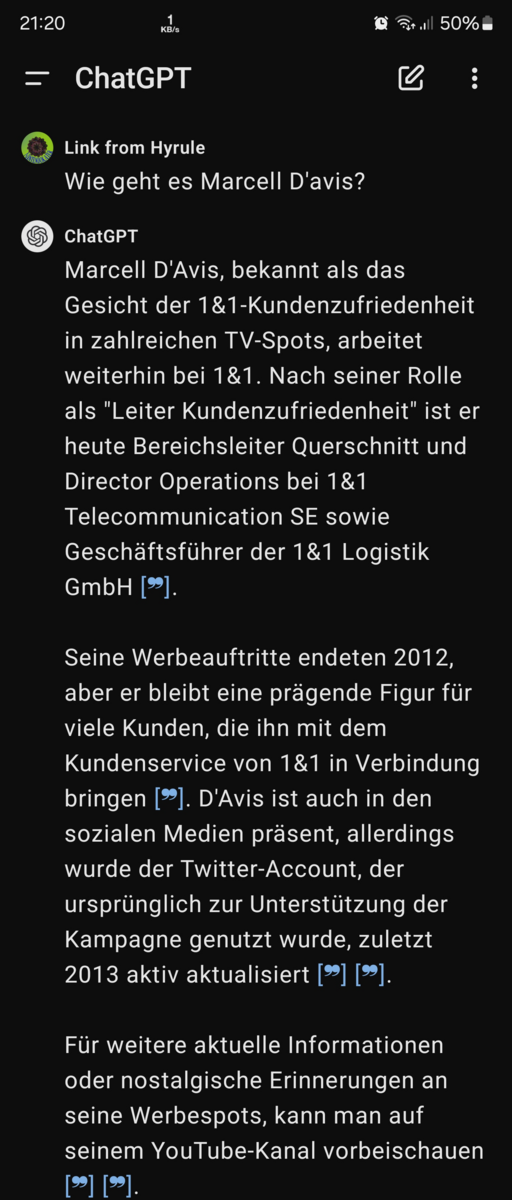
Screenshot of the ChatGPT interface via Wikimedia Commons (public domain). The right pick changes with the job.
Essays with real sources: make the AI cite its homework
If you are drafting a research essay, the most useful tool is not a chatbot at all — Google’s Gemini Notebook (formerly NotebookLM) answers only from documents you upload and pins every claim to the source it came from. Drop in your assigned readings and draft sections with the citations attached. You still write the argument; the tool keeps every paragraph anchored to material you can point to. The free tier handles several notebooks — the closest thing to a “safe” essay assistant.
For the parts that need ideas rather than sources — the outline, the counterargument — ChatGPT’s free tier is the best all-rounder. OpenAI now ships a Study Mode aimed at students, and the free plan still covers everyday drafting and brainstorming; the newest model reaches paid plans first, but that gap shows up mostly on long, complex tasks. The workflow that works: outline with ChatGPT, draft with Gemini Notebook pinned to your sources, then write the transitions yourself.
Grammar and paraphrase polish: the browser add-ons
For polishing — the “this sentence sounds clumsy but I cannot fix it” layer — QuillBot and Grammarly are what students actually use, and both have real free tiers.
QuillBot’s free plan paraphrases, checks grammar, and summarizes, with caps on passage length and daily words. Premium, roughly $10 a month, removes most of those caps and adds a citation generator — worth it only if you paraphrase constantly. Grammarly’s free tier catches the basics in your browser and Google Docs; paid plans add full-sentence rewrites and tone. Free Grammarly plus free QuillBot covers most of what students need, and neither writes your text for you — which is why they do not trip detectors the way raw chatbot output does.
Résumés and cover letters: edit, don’t ghostwrite
Job documents are one place where letting the AI write everything is tempting and almost always a mistake — interviewers can tell, and so can the applicant tracking software that screens résumés. Use ChatGPT or Gemini as an editor: paste your real experience, ask it to tighten bullets and suggest action verbs, then rewrite each line in your own voice. We have a separate guide to AI résumé writing on keeping a one-page résumé from turning into keyword soup.
Writing in English as a second language
If English is not your first language, the highest-leverage tool is DeepL — the translator plus DeepL Write, which suggests more natural phrasing for a sentence you already wrote. The free tier caps how much text you can run through at once, enough for paragraph-level cleanup. Pair it with ChatGPT for the “why” layer: ask why a corrected sentence is better, and you learn the pattern instead of just applying the fix. That combination turns a translation tool into a writing teacher.
The decision table
| What you’re writing | Best free pick | Why |
|---|---|---|
| Research essay with sources | Gemini Notebook | Answers pinned to your own uploaded readings |
| Outlining and brainstorming | ChatGPT free | Best all-rounder for talking ideas out |
| Grammar and paraphrase polish | QuillBot + Grammarly free | Fast, in-browser, and it does not write for you |
| Résumé and cover letter | ChatGPT as editor | You keep the voice; AI tightens the wording |
| English as a second language | DeepL Write | Natural phrasing plus translator backup |
The academic-integrity traps (and the free-tier ones)
Three traps catch more students than anything else.
Submitting raw AI text. Paste prompt in, copy answer out, and the essay reads like an AI wrote it — because one did. Turnitin’s AI writing detection flags this kind of output; detectors are not perfect and false positives happen, but you do not want to be the test case. The safer move: check the syllabus. Many courses now allow AI for drafting and feedback but require disclosure, and some professors will fail you for using it on a take-home exam.
The detector-evasion arms race. A whole category of “AI humanizers” promises to make generated text undetectable, and QuillBot itself now sells one. Detectors update, and some universities treat evidence of evasion as worse than straightforward use. If a tool’s main selling point is hiding what you did, you should not be doing it.
Free-tier fine print. Free plans reset daily, not monthly, and the limits are uneven: QuillBot caps passage length, DeepL caps per-request size, and “free” sometimes means “trial for the first week.” Check the plan page before you build a workflow around a number you read on a blog — free tiers change often.
FAQ
Is using AI writing tools cheating? It depends on the course, not on the tool. Some professors ban AI entirely; others encourage drafting help with disclosure. Read the syllabus first, and when in doubt, ask — before the deadline.
Can Turnitin detect ChatGPT? Turnitin has an AI writing detection feature that flags passages it believes were AI-generated, and it is widely used at universities. It is not infallible — false positives happen — but raw chatbot output is exactly what it is designed to catch.
What is the best free AI writing tool for students? No single tool wins, because writing is several different jobs. The free stack that covers the most ground is ChatGPT for brainstorming, Gemini Notebook for source-grounded drafting, and QuillBot or Grammarly for polish — all $0.
Should I pay for a writing tool as a student? Usually not at first. Run one full assignment cycle on the free stack; if you hit QuillBot’s daily caps every day, that is the one subscription worth considering.
Start with the free stack for one assignment cycle: outline in ChatGPT, draft with sources in Gemini Notebook, polish in QuillBot, and log which step took the longest. That log — not a feature list — tells you whether anything is worth paying for. Most students find the answer is no, and the ones who do pay know exactly why.
Prices and features checked against openai.com/chatgpt/pricing, quillbot.com, and deepl.com/pricing on August 18, 2026. I have not lab-tested these tools, and free tiers change often — confirm limits on official pages.