Everyone who hands a meeting recording to a tool for the first time stalls in the same place: the transcript comes back looking impressive — lines, timestamps, a tidy summary — and then you don’t know what to do with it. It gets shared once, then never opened again. Closing that gap is what a Fireflies alternative has to do, and it is not about feature count.
This is a three-step workflow, not a ranked shortlist. Fireflies, Otter and Granola all handle step one; the step where people give up is the third. Prices come from the vendors’ own pages, checked 14 October 2026.
Step 1: Get the audio in, and decide who is allowed to hear it
Fireflies joins the call as a bot. Its free plan advertises Zoom, Meet and Teams integrations, unlimited transcription and 400 minutes of storage for the whole team, against 8,000 minutes per seat once you pay (about $10 per seat per month billed annually). Otter also joins as a bot but meters by time: 300 minutes per user per month, capped at 30 minutes per conversation, rising to 1,200 minutes and a 90-minute meeting cap on paid plans.
Granola takes the opposite route — no bot. It captures your computer’s audio, so no participant named after an app appears in the room, and covers Zoom, Meet and Teams plus in-person conversations a bot cannot attend. Its free tier is generous on notes but keeps only limited history; Business runs about $14 per user per month.
If a client would notice an unfamiliar participant, the bot question decides the purchase before price does — and it changes who must consent.
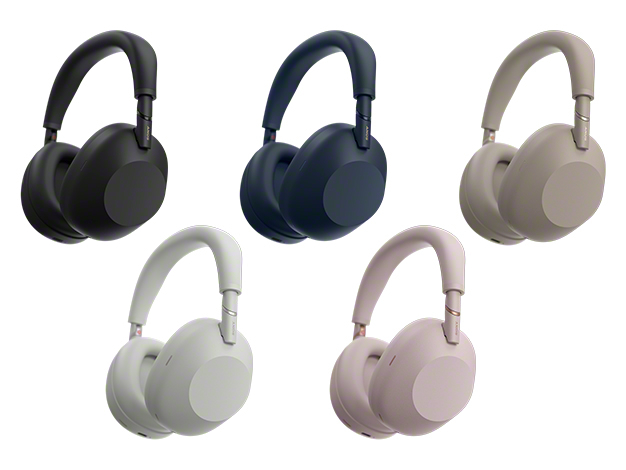
Official product image from Sony.
Step 2: Turn speech into decisions and action items
This is where the products separate, and the step people skip. A transcript is not a record of a decision; a summary is. But a summary is a compression, and a compression cannot tell you where it compressed wrong.
Our own Sony WH-1000XM6 test is the cautionary version. In a real 45-minute call switching between Chinese and English, the headphone app returned minutes with agenda, conclusions and action items cleanly separated — good enough that we skipped handwritten notes — and one currency unit was wrong. Spot-check the figures against the transcript before anything leaves your desk.
Language coverage matters less than expected: Otter lists six languages, Fireflies advertises 100+. On a busy call, speaker separation is what decides usefulness — where Fireflies’ paid tiers and tools like WhisperX do the real work. (Dictation is a different problem, covered in our Wispr Flow alternatives guide.)
Two questions before you commit
Will my old notes survive if I stop paying? Sometimes not. Fireflies meters storage, so the shelf holding transcripts runs out; Otter’s minutes do not roll over and its three lifetime imports never reset; Granola’s free history is limited. If you keep notes for years, this matters more than which app writes a prettier summary.
Do I have to tell people they are being recorded? Rules vary by country and employer. Assume an unannounced recording participant is a problem; a tool that never joins the call removes the question.
Step 3: Give the notes somewhere to live
The step that stops the workflow is the last one. A note that lives only inside one vendor’s dashboard is one cancelled subscription from disappearing, so export it. Otter and Fireflies export transcripts and summaries on paid tiers; Granola syncs to Notion, HubSpot and Attio on Business.
For anything you need next year, plain text on your own disk is the version nobody can take away. Joplin, or any markdown folder you control, does the job — and edit a first-pass summary before filing it, not after.
If the meetings hold material you would rather not upload, the local route replaces the whole first step. OpenAI’s Whisper is MIT-licensed and whisper.cpp runs on an ordinary CPU: the recording starts on your machine, the audio never leaves it, and there is no per-minute meter — at the cost of giving up the bot. The wider trade-offs are in our Otter alternatives comparison.
Mistakes that quietly break the workflow
Trusting the summary as the record. The most expensive mistake — a wrong figure that reaches a client is worse than no summary.
Picking by feature count, not by meter. “Unlimited transcription” sounds like unlimited notes; behind it sit a 400-minute team cap or a 30-day history window. Buy against the limit you hit first.
Never setting an archive. Transcripts pile up inside whichever app was open that day; six months later you cannot find the call where the price was agreed.
What to do next
Run one real meeting through the loop — record, extract action items, export to a folder you own — before you subscribe. If a bot is fine, a Fireflies or Otter free tier is the cheapest test; Otter’s 300 minutes covers about six one-hour meetings a month. If not, start with Granola’s no-bot capture. Either way, decide where the notes live on day one, not the day you cancel.
Plan details are from the official pricing pages for Fireflies.ai, Otter.ai and Granola, checked 14 October 2026, plus licensing from the Whisper project. Confirm prices on the vendors’ sites. The only hands-on data here is our XM6 meeting-summary test.